
Latest News
Shipoto: Why We Built Fulfillment Photography Into Odoo
Snap It.
Ship It.
See the Care.
Shipoto: Why We Built Fulfillment Photography Into Odoo
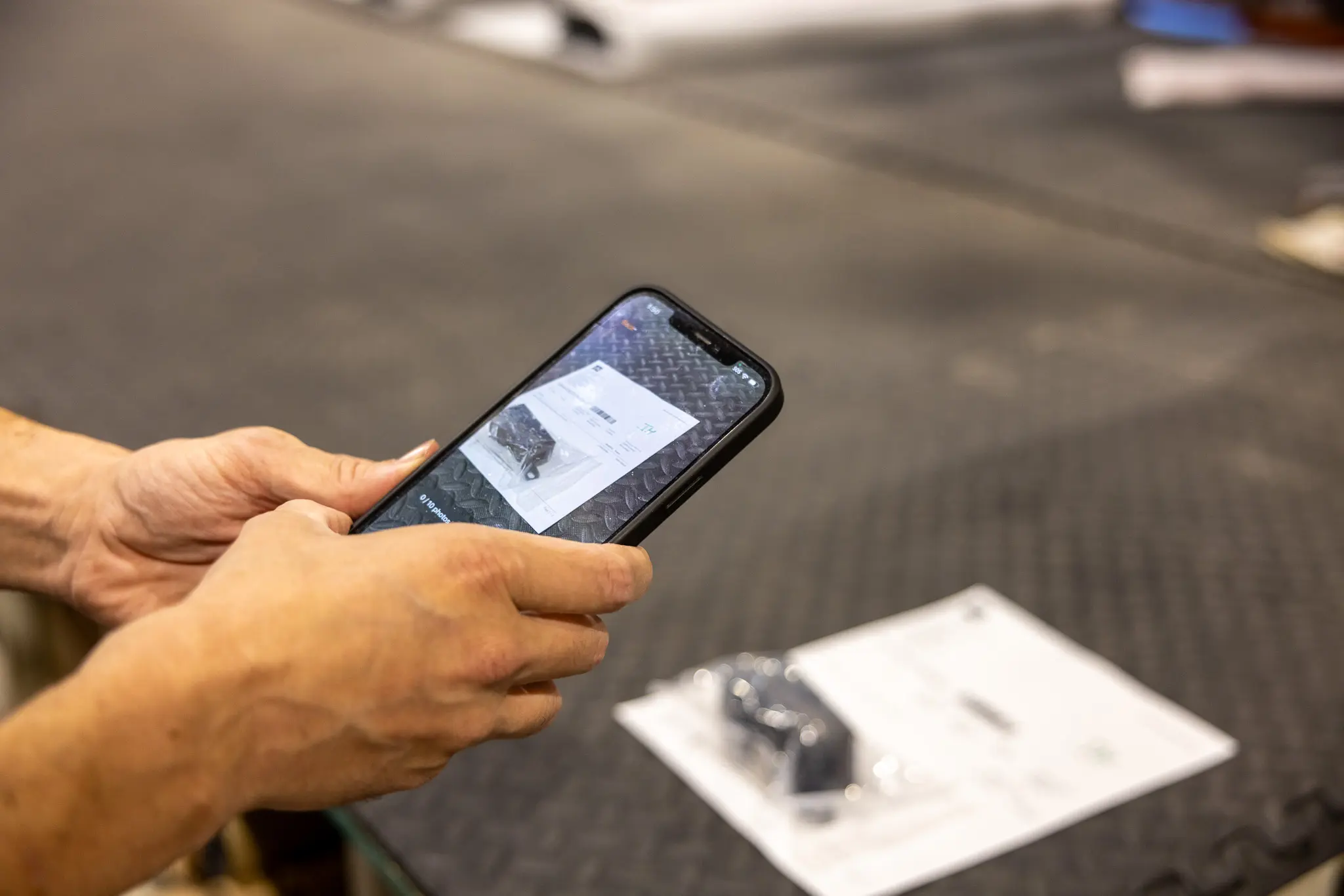
A customer sent us a message after seeing a photo of their order prepared for shipment. Their reaction was enthusiastic enough to need one small redaction.
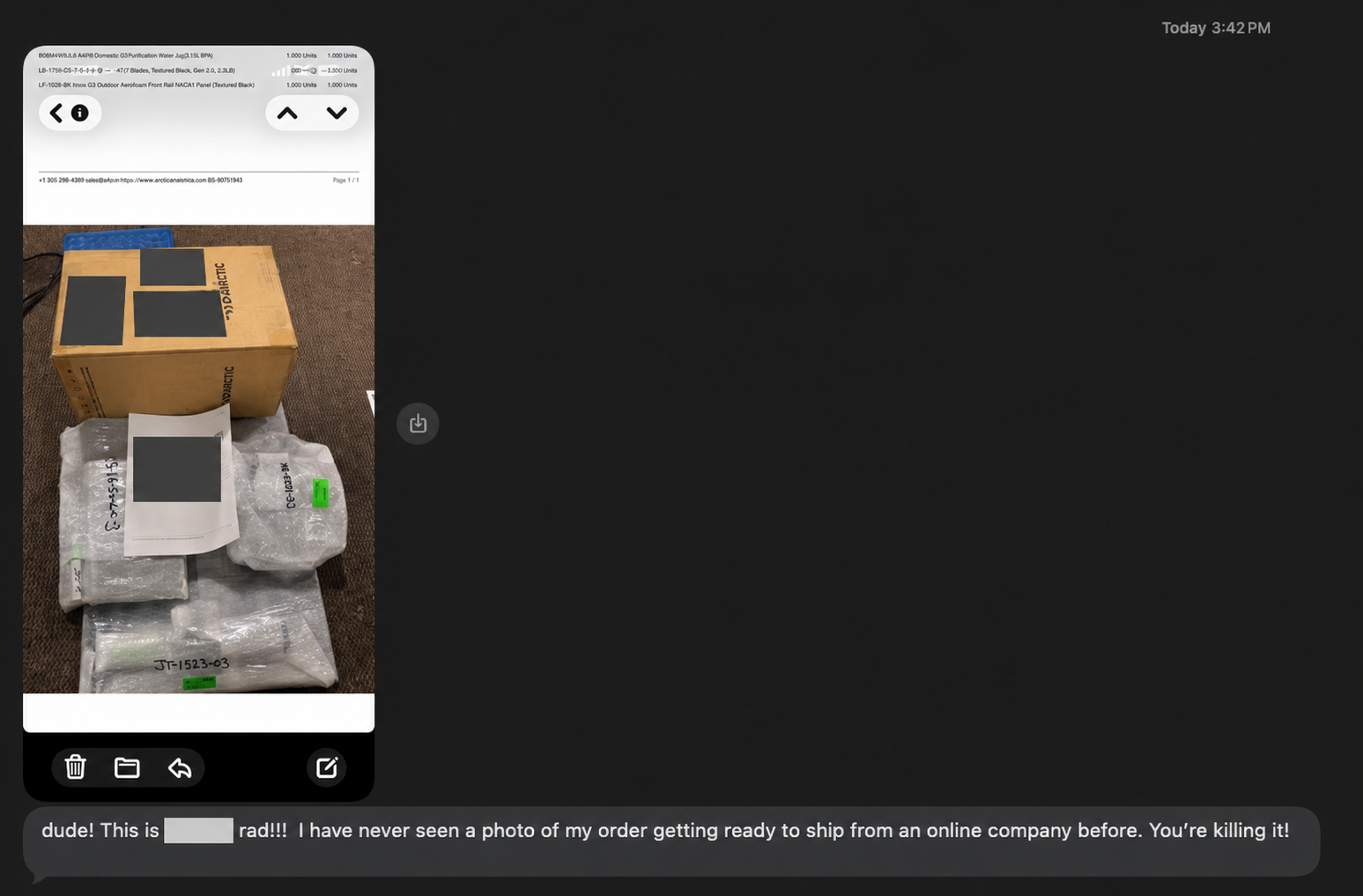
The Customer Sees the Difference
“dude! This is [expletive removed] rad!!! I have never seen a photo of my order getting ready to ship from an online company before. You’re killing it!”
That is the customer side of Shipoto: a look at their actual order, prepared by the people sending it.
When you order parts from American Adventure Lab, a lot happens between checkout and the delivery truck. People manufacture components, inspect finishes, gather hardware, and prepare everything for the trip to your garage. We wanted you to see the last part of that work. We also wanted our shipping team to have a useful record of what left the building.
So we wrote an iPhone app and connected it directly to Odoo, the system we use to manage orders, manufacturing, and fulfillment. We called it Shipoto. Shipping plus photo. Apparently, we save our most complicated engineering for the products.
Catch It Before the Box Closes
An order record tells us what should ship. A fulfillment photo helps document what was prepared.
That matters when an order contains several components, individually wrapped pieces, or hardware that can be easy to overlook. The best time to catch a missing item is while the shipment is still on our table.
Keep Something We Can Review
If a customer asks about a component, our customer service team can open the shipment history and review the image. If a package arrives damaged, the record can help document how it was prepared when supporting a carrier or insurance claim.
For the customer, the benefit is immediate: they get to see their actual order before it arrives.
Build It Around the Packing Table
Taking a photo is easy. Getting it onto the correct shipment, keeping it accessible, and including it in the customer’s email takes more work. We wanted that process to fit the shipping station.
Manually transferring files, renaming them, finding the correct record, and attaching everything would create several opportunities to miss a step. Shipoto puts that workflow on the phone:
- The employee signs in with their Odoo account.
- They scan the delivery-order barcode, or enter its number.
- The app retrieves the delivery and displays its items, quantities, and product information.
- They inspect the shipment, take photos, and review them.
- They upload the photos directly to that delivery in Odoo.
The app confirms when the upload succeeds, then lets the employee scan the next order. That confirmation matters. A picture sitting on a phone has not yet become part of the shipment record.
The App and Its Connection
A native iPhone app. We built Shipoto with SwiftUI. It handles barcode scanning, shipment review, photography, and upload confirmation.
An authenticated API. The app connects to Odoo to retrieve delivery information and upload images. Scanning identifies the delivery; the employee’s Odoo login provides access to the system.
The station setup. An iPhone, a network connection to Odoo, and a delivery-order barcode give the employee what they need at the table.
The Odoo Side
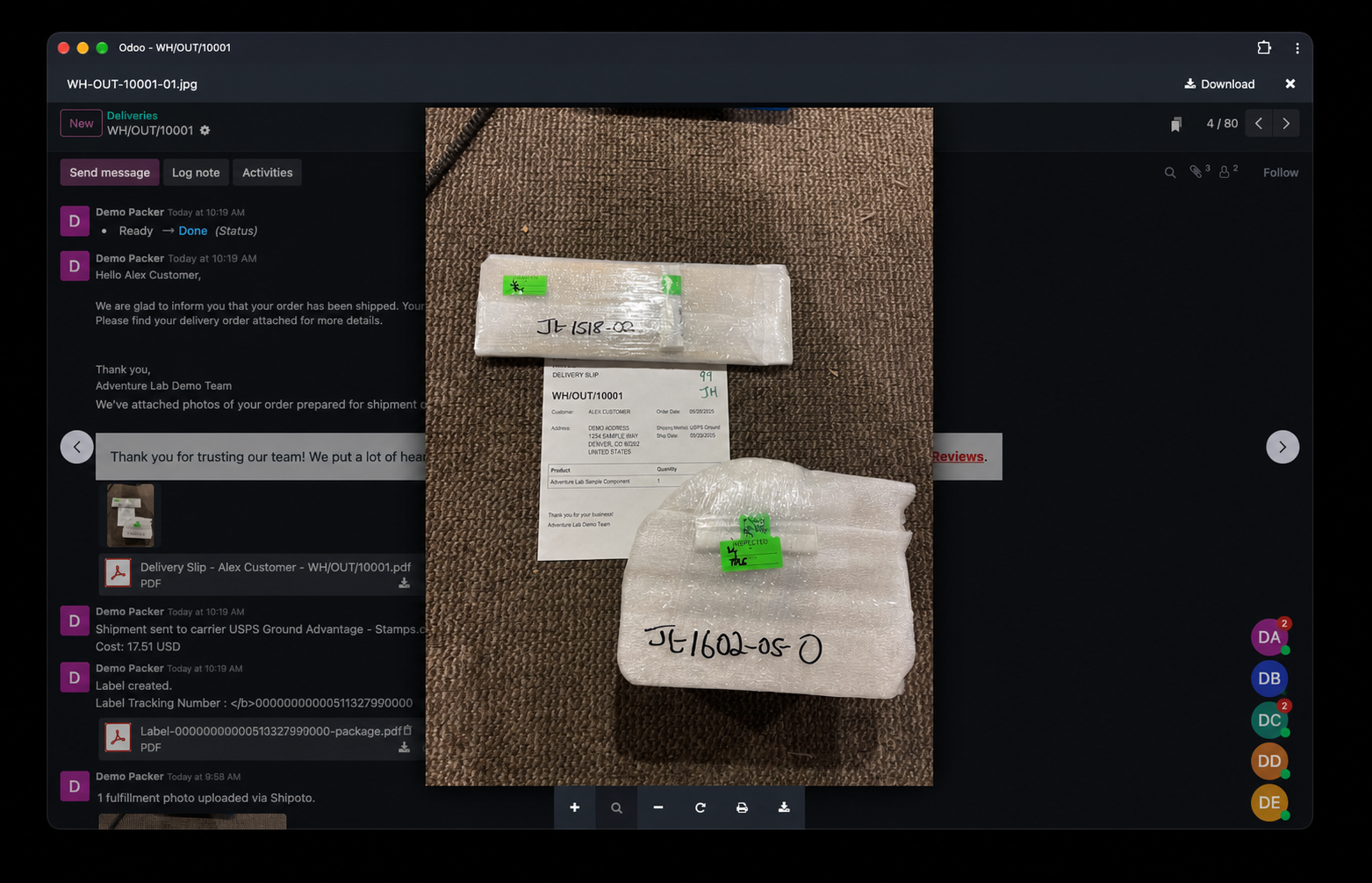
A custom module. Shipoto adds fulfillment photos to Odoo’s delivery records, alongside the rest of the shipment history.
A photo requirement. The module can require at least one photo before an outgoing delivery is validated. The requirement lives inside Odoo, with an administrator override for exceptions.
The shipment email. The integration adds the photos to Odoo’s configured shipment confirmation email. The images our team keeps can also show the customer what was prepared.
Where AI Helped
We used AI-assisted development to build tools around the way our business works. Shipoto is one example.
The work still required specific decisions: which barcode identifies a delivery, what information the packer needs, where photos belong, when fulfillment should be blocked, and how the images reach the customer. Those details determine whether an app helps at a busy shipping station.
The employee still inspects the shipment. A photo requirement confirms that an image exists; the person taking it remains responsible for checking the order.
A Little More Visibility Before It Ships
We spend a lot of time thinking about the details of our products. The experience of receiving them deserves that same attention.
Shipoto gives our shipping team a repeatable way to document an order and gives customers a look at the work before the package leaves our hands. Sometimes, the useful feature is simply showing someone that their order got personal attention.
For more about the tools we build around our business, read How We Put AI to Work in a Real Small Business.